• हिन्दीEnglishमराठीবাংলাதமிழ்മലയാളംગુજરાતીతెలుగుಕನ್ನಡଓଡ଼ିଶାZ BharatPHHBusinessWION
  • facebookyoutubetwitterwhatsapp
Zee News English
  • news
  • Live Blog
  • photos
Add Zee Business As A Preferred Source
App
  • Live TV
  • Latest News
  • India
  • World
  • Entertainment
  • Sports
  • Business
  • Lifestyle
  • Astrology
  • Auto
  • Education
  • Technology
  • News
  • /Auto
  • /How to renew your driving licence online: Step-by-step process explained

How to renew your driving licence online: Step-by-step process explained

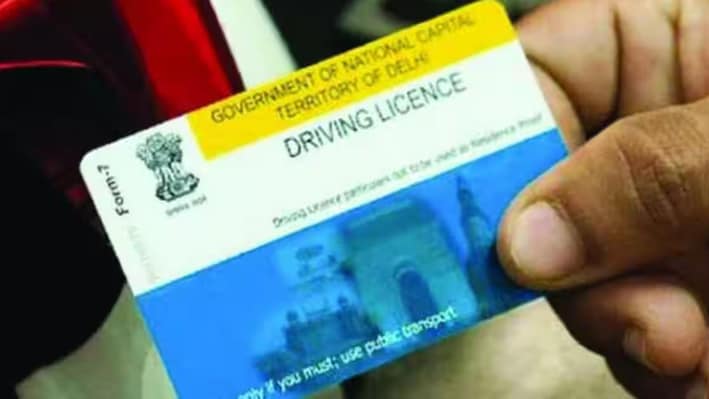
Renewing your driving licence online is simple. You can do it from home and skip the trip to the RTO (regional transport office).

Written ByLakshya Rana
Published: Nov 25, 2026, 15:59 IST|Updated: Nov 25, 2026, 16:02 IST
joinshare
How to renew your driving licence online: Step-by-step process explained
Image Credit: How to renew your driving licence online: Step-by-step process explained

About the Author

    Lakshya Rana

    Lakshya Rana

    Lakshya Rana has 10+ years of experience in journalism. He leads the Automobile and Technology news sections at Zee News Digital. His approach to stories is simple: cover only what enriches readers for good.To help readers make good buying decisions, he reviews cars and gadgets like mobile phones, smartwatches, laptops, and more. He can be contacted at Lakshya.rana@India.com. 
    Read More

    Trending

    • News
    • Photos
    ‘Doing things most of us couldn’t do in our entire career’: Kevin Pietersen hails Vaibhav Sooryavanshi after historic double century

    ‘Doing things most of us couldn’t do in our entire career’: Kevin Pietersen hails Vaibhav Sooryavanshi after historic double century

    2

    India's sporting revolution: The extraordinary rise of Olympic medalists and sporting champions beyond cricket

    3

    SP, Congress MPs exchange barbs amid seat-sharing talks for UP Assembly polls

    4

    University of Canberra and SCRS host International Sustainable Computing Conference, receive 1,160 Papers from 12 Countries

    5

    Tamil Nadu govt apologises in SC for failure to light lamp at Deepathoon, blames temple board; What is the row

    logo
    • contact us
    • privacy policy
    • legal
    • investor info
    • advertise with us
    © 1998-2026 Indiadotcom Digital Private Limited, All Rights Reserved.

    Renewing your driving licence online is simple. You can do it from home and skip the trip to the RTO (regional transport office). A private driving licence is valid for 20 years from the date of issue, or until you turn 40, whichever comes first. After 40, the licence is issued for 10 years. Then you renew it every five years after that. The validity date is printed on your licence. If yours is about to expire, here's a step-by-step process to renew it online.

    Step 1: Go to sarathi.parivahan.gov.in and select your state. Under Online Services and Payment, click Driving License Related Services. Then click Apply for DL Renewal. Read the instructions for submitting the application and click Continue.

    Also Read | Top 10 best-selling sub-4m SUVs in October 2026: Maruti Brezza beats Nexon and Punch

    Step 2: Enter your DL number and date of birth. The portal will show your driving licence details. Click Proceed and check that the details are correct.

    Step 3: Select Renewal of DL and click Proceed. Now, fill in Form 1A online. It is the application-cum-declaration for physical fitness.

    Step 4: Upload the required documents and click Proceed. Now, confirm your application number and date of birth again. Then click Submit.

    Step 5: Check the details and click OK.

    Step 6: Upload your medical certificate, a photo of yourself and your e-signature. Then click Save Photo and Signature.

    Also Read | Honda Rebel 500 launched in India at Rs 4.50 lakh - Details

    Step 7: Enter the captcha and click Pay Now. Then click Proceed for payment.

    Step 8: Pay the fee by debit card, internet banking or UPI. Then click Pay Now. The renewal fee can vary by region. The renewal itself may cost Rs 200. The smart card may add another Rs 200. That brings the total to Rs 400.

    Step 9: Once the payment goes through, generate the receipt. Check the details and print it.

    What happens next
    A dealing assistant will review your application. If you submitted all the documents, plus your photo and signature, the licensing authority will approve it. The authority will then send your driving licence by Speed Post. If something is missing or wrong, the authority will send the application back to you on the online portal. You can then upload the correct document, or follow the remarks the authority has left.

    Stay informed on all the latest news, real-time breaking news updates, and follow all the important headlines in india news and world news on Zee News English.

    Add Zee News as a Preferred Source
    TAGS:
    Driving Licence