It's 11:40 p.m. Your assignment is due at 9 a.m., your group project lives in three different apps, and your battery is hanging on at 12 percent. That moment tells you everything about whether your laptop is working for you or against you.
Your first laptop touches every part of college life: lectures, late-night deadlines, internships, group calls, and the occasional well-earned episode on a Sunday afternoon. Here's how to make sure you pick the right one.
Why your first laptop matters more than you think
A phone can do a lot, but it can't replace a proper keyboard, a bigger screen, and the software your courses expect. Most students rely on their laptop for almost every academic task, from research and note-taking to submitting assignments and presenting in class.
That makes it a daily tool, not a gadget you upgrade on a whim. The right laptop for college students is the one you stop thinking about because it simply works.
The five things that decide whether a student laptop works
Ignore the marketing for a moment and focus on these.
- Weight. You'll carry it everywhere. Student laptops under 3.5 pounds (about 1.6 kg) stay comfortable in a backpack through a full day of walking between buildings. Heavier machines start to feel like a burden by the second month.
- Battery life. Count the hours you spend away from a plug. Lectures, library sessions and commutes add up. Look for independent reviews that test real-world use, because manufacturer numbers are a best case.
- Screen. You'll read, write, and watch lessons on it for hours. Brightness and colour accuracy matter more than raw screen size. OLED panels offer rich colour and deep contrast, which helps design and media students especially.
- Performance and staying current. Look for a processor from the laptop latest generation 2026 offers, and enough memory for multitasking. A browser full of research tabs, an open document, and a video call should never stutter.
Ports and charging. A couple of USB-C ports and a fast charger save you from carrying
- dongles. Check the charger's wattage as well, since it decides how quickly you can top up between classes.
What's new in laptops for 2026
If you're comparing the latest laptops 2026 latest model releases, start with efficiency. Newer chips generally deliver more performance for every unit of battery power, which means better all-day battery life without a bulkier body.
Newer models also bring on-device AI features for things like transcription, background noise reduction, and smarter search. Whether those features matter depends on your course, but a laptop new generation 2026 model is a safer long-term bet than one that is a couple of years old.
If you're deciding between an older model and a laptop HP new model 2026 release, compare the processor, memory, and battery ratings side by side. Those three numbers will tell you more about the next four years than any launch-day headline.
Where the HP OmniBook 5 fits
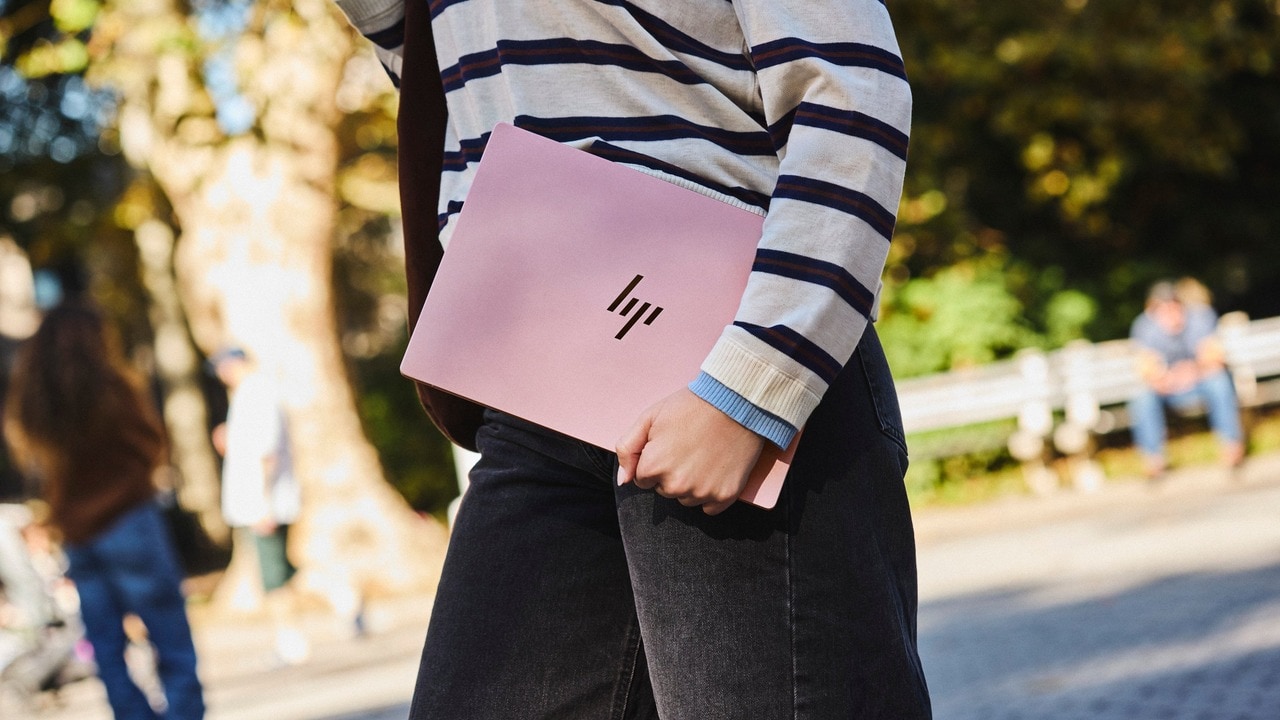
Looking for the HP latest laptop 2026 has to offer? The OmniBook 5 is a strong place to start. If you're shopping for a laptop HP for students, it's one of the more balanced options in HP's range. The 14-inch model has a 2K OLED display and a thin, mostly metal body that weighs about 1.2 to 1.3 kg, comfortably under the 3.5-pound mark.
Reviewers of the series have praised its battery life, with some recording more than 16 hours in mixed use, and its screen stands out for vivid, rich colour. It also comes in several colours, so the laptop can match your style as well as your schedule.
The HP laptop new model 2026 lineup is built for students who want a dependable everyday machine rather than gaming hardware. It suits lectures, research, document work, light editing, and online classes. It isn't designed for heavy gaming or video rendering, so if that's your priority, look at a dedicated gaming machine instead.
Shop the OmniBook 5 options
Pick the colour and memory configuration that suits your needs. Prices are shown on each product page.
Test it before you buy: a five-minute checklist
Specs only tell part of the story. Before you pay, spend five minutes with the laptop in your hands to see how it will actually feel in your daily routine.
- Hold it for a minute. If it feels heavy in your hands, it will feel heavier in your bag.
- Type a paragraph. Keyboard comfort matters more than most people expect after a few hours of notes.
- Open ten browser tabs and a document. Watch for lag when you switch between them.
- Check the ports you actually use, such as a USB-C charger, a USB-A drive, or a headphone jack.
- Look at the warranty and service options available where you live before you pay.
Quick answers for first-time buyers
Which laptop is worth the money for a college student?
The best value is a light laptop with a good screen, all-day battery, and enough memory to multitask. If you can, spend a little more on 16GB of memory, since it gives you room to grow over several semesters.
I do internships and freelance work on the side. Which laptop can handle both?
Side work usually means documents, spreadsheets, video calls, and some design tools. A 16GB configuration gives you more headroom than 8GB when you run several apps at once.
My son is going to college and will be travelling a lot. Which laptop is light, reliable, and has good battery life?
Look for something around 1.2 to 1.5 kg with a battery that covers a full day of travel. The OmniBook 5 14 fits that profile, and its battery is one of its strongest points.
Best laptops with fast charging?
Check how quickly the charger takes the battery to 50 percent, not just its wattage. Fast charging matters most when you're rushing between classes with 20 minutes to spare.
Best laptops for online classes and video meetings?
Look for a clear webcam, dependable microphones, and a screen that stays sharp during long calls. A machine that stays cool and quiet during video calls makes a real difference over a semester.
Your laptop will be with you through exams, internships, and late nights. Choose one that makes those moments easier, not harder.
(This article is from the Brand Desk. User discretion is advised.)
Stay informed on all the latest news, real-time breaking news updates, and follow all the important headlines in india news and world news on Zee News.




 "Your first laptop is your campus sidekick; pick one that can keep up")

)